Remove Silence from Audio
Auto-detect quiet gaps in your recording. See them on the waveform. Export a tighter file.
Step 1: Add Your Audio
Pi7's audio silence remover scans your file the moment you drop it in. It finds every quiet gap, marks each one as a red band on the waveform, and exports a tighter version - all free, all in your browser, no account needed. A 30-minute podcast recording can drop to 22 minutes in about 20 seconds on a mid-range laptop.
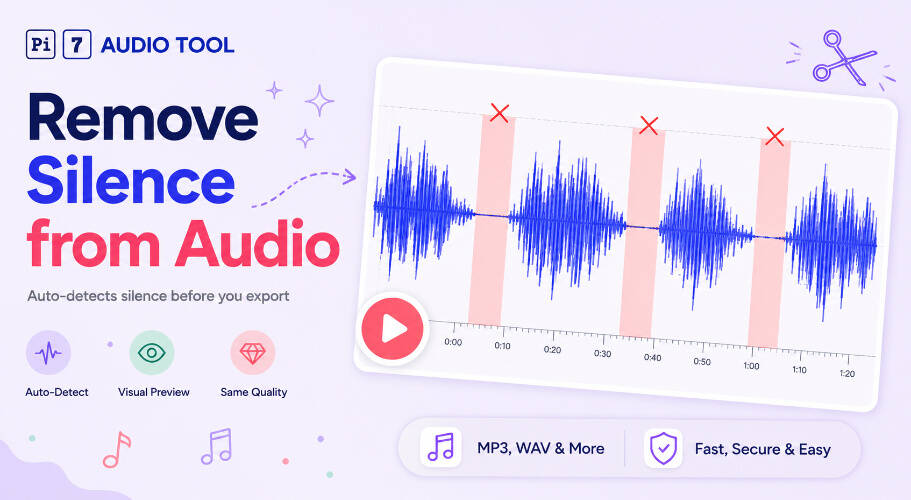
How the Audio Silence Detection Works
Pi7 analyzes your audio automatically on upload. You do not press a "Detect" button. The tool reads the volume level across the entire file and flags every section that falls below a set decibel threshold for long enough.
The result appears as red transparent bands overlaid on the waveform. Each red band is a silence the tool plans to cut. You see exactly what will be removed before you export anything.
This visual preview is the key difference. You are not guessing. You see the cuts, then you decide whether to export.
Four Presets to Remove Silence from Audio Your Way
Pi7 gives you four preset chips to control how aggressively it cuts. Each preset sets a decibel threshold and a minimum silence length.
- Aggressive - cuts pauses at -30 dB threshold, minimum 0.4 seconds. Good for interviews where you want every short hesitation gone.
- Balanced - the default. Cuts at -40 dB, minimum 1.0 second. Works well for most podcasts and voiceovers.
- Gentle - only removes long silences at -45 dB, minimum 2.0 seconds. Good for audiobooks where pacing matters.
- Custom - two sliders let you set any threshold and minimum duration you want.
Switch between presets and the red bands on the waveform update instantly. The live stats line shows the silence count, the total time being cut, and the output length after cuts.
What Is the "Keep Brief Pauses" Toggle?
When you cut long silences out completely, speech can sound rushed. The "Keep brief pauses between segments" toggle fixes this. It replaces each removed silence with a short 0.25-second gap instead of nothing.
We built this feature specifically for podcasts and voiceovers. A natural pause still exists between sentences. The rhythm feels right.
Turn it off if you want the tightest possible cut - useful for lecture transcripts or short social media clips.
Preview Before You Remove Pauses from Audio
Press the play button to hear exactly what the export will sound like. The playback cursor moves along the waveform and jumps over every red band. You hear the final version, not the raw recording.
If a cut sounds wrong - say, a word got clipped - switch to the Gentle preset or use Custom sliders to raise the minimum silence length. The waveform updates immediately.
If you need to remove a specific section rather than all silences, you can cut a specific section with Pi7's audio cutter instead.
Supported Formats and Output Quality
Pi7 accepts MP3, WAV, M4A, AAC, OGG, FLAC, and OPUS files. The output is always MP3.
Output bitrate matches your source automatically. Here is how that works:
| Input format | Input bitrate | Output bitrate |
|---|---|---|
| MP3 | 128 kbps | 128 kbps |
| MP3 | 320 kbps | 320 kbps |
| WAV / FLAC | Lossless | 320 kbps |
You never lose quality relative to your source. A 128 kbps podcast stays at 128 kbps. A WAV narration exports at 320 kbps, the highest useful MP3 quality.
Want to shrink the file further after trimming silence? You can compress the audio file to reduce its size in another free Pi7 tool.
Who Gets the Most Out of This Tool
Anyone who records speech benefits from removing dead air. These are the most common use cases:
- Podcasters - tighten a 45-minute episode before publishing to Spotify or Apple Podcasts.
- YouTubers - cut the dead air from a voiceover track before syncing to video.
- Course creators and teachers - shorten lecture audio so students stay focused.
- Audiobook narrators - trim breath pauses without losing natural delivery.
- Transcribers - shorten source files so transcription takes less time.
- Anyone with a long voice memo - a 20-minute Zoom call recording can drop to 14 minutes before you share it.
If you want to speed up a cleaned recording too, try changing the audio speed online after you export.
Your File Stays on Your Device - No Uploads, No Signup
Pi7's silence remover runs entirely in your browser using WebAssembly. Your audio never leaves your device. Nothing is sent to a server.
There is no account to create. There is no email to enter. There is no watermark on the output file. You download a clean MP3 that is 100% yours.
The Cancel button stops processing instantly if you change your mind mid-export. The FFmpeg worker terminates right away - no waiting for a server to respond because there is no server involved.
Frequently Asked Questions
Does removing silence reduce audio quality?
No. Pi7 matches the output bitrate to your source. A 128 kbps MP3 exports at 128 kbps. A 320 kbps file exports at 320 kbps. WAV and FLAC sources export at 320 kbps MP3, the highest useful quality for that format. The only thing that changes is the length of the file.
What is the difference between the Balanced and Aggressive presets to remove silence from audio?
Balanced (the default) cuts silences at -40 dB and only removes gaps longer than 1.0 second. Aggressive cuts at -30 dB and removes gaps as short as 0.4 seconds. Use Aggressive for dense interview audio. Use Balanced for podcasts and lectures where natural pacing matters.
Can I use this on a phone?
Yes. Pi7 runs in any modern mobile browser on Android or iOS. No app download needed. Upload your voice memo or recording, pick a preset, and download the tighter file.