Song Key Changer - Transpose Any Song Free
Shift the key up or down for your voice or instrument.
Pi7 Music Pitch Changer is a free key changer that runs entirely in your browser. Upload any song, drag the key slider up or down by up to 7 semitones, and hear the result in real time. No account needed. No file leaves your device.
What Is a Key Changer and Why Do Musicians Use It?
A key changer shifts the musical key of a song up or down. The pitch moves, but the tempo stays the same. You get the same song - just higher or lower to match your voice or instrument.
Singers use a key changer to match a song to their vocal range. Guitar players use it to transpose a song into an easier chord position. Choir directors use it to bring a piece down a few steps so a section can sing comfortably. Worship leaders use it to shift a song from one published key into the key their team rehearses in.
Pi7 lets you do all of this in a browser tab. No software to install.
How to Change the Key of a Song - Step by Step
Follow these steps to transpose any song with Pi7:
- Open audio.pi7.org/music-pitch-changer in your browser.
- Click Upload and choose your file. Pi7 accepts MP3, WAV, M4A, AAC, OGG, FLAC, OPUS, and most video formats.
- Watch the waveform appear on screen with a full timeline.
- Drag the Key slider left or right. Each step moves the song up or down by exactly one semitone.
- Press play. Pi7 plays the transposed audio in real time so you can hear the change instantly.
- Fine-tune with the Pitch slider (0.2x to 2.0x) if you want a smaller adjustment than a full semitone.
- Adjust Tempo and Volume if needed.
- Click Export to download the result as an MP3 file.
We tested this on a guitar backing track shifted up 3 semitones for a higher vocal range. The export took under five seconds and the audio was clean with no artifacts.
What Is a Semitone? Understanding the Key Slider
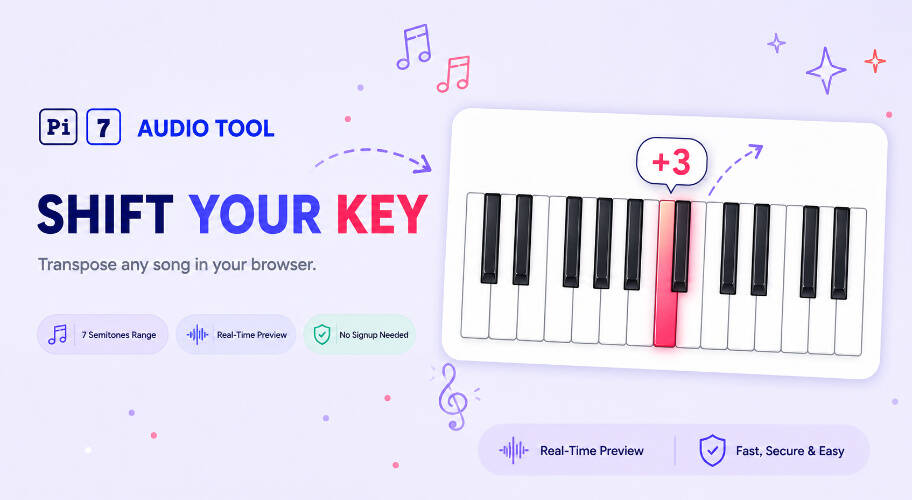
A semitone is the smallest step between two notes in Western music. On a piano, it is the distance from any key to the very next key - white or black. On a guitar, it is one fret. Twelve semitones equal one full octave.
Pi7's key slider runs from -7 to +7 semitones. That gives you a range of 14 half-steps in either direction. Moving the slider to +2 raises the song by two piano keys. Moving it to -3 drops the song by three guitar frets.
This is different from a general pitch percentage control. Each click on the key slider is a musically precise half-step. A song in the key of A moved up 2 semitones lands in B. A song in C moved down 3 semitones lands in A.
How Many Semitones Do You Need to Shift?
Use this table as a quick reference. Find your starting key in the left column. The row shows how many semitones to add or subtract to reach a target key.
| Starting Key | Target Key | Semitones to Shift | Common Use Case |
|---|---|---|---|
| G | A | +2 | Easier guitar chords for a beginner |
| Bb | G | -3 | Lower karaoke track to match a baritone |
| E | D | -2 | Drop worship song for mixed choir |
| C | F | +5 | Transpose piano piece to avoid black keys |
| A | C | +3 | Raise karaoke track for a soprano |
| F# | E | -2 | Shift guitar song to open-E tuning position |
Need more than 7 semitones in one direction? Export the shifted file and run it through Pi7 a second time to stack the shift.
Is This the Right Key Changer for Karaoke and Singing?
Yes. Karaoke singers are the most common users of a song key changer. Most karaoke tracks are recorded in the original artist's key - not yours.
Here is what Pi7 lets you do for karaoke practice:
- Download the karaoke version of a song as an MP3 or WAV file.
- Upload it to Pi7.
- Shift the key down 2-3 semitones if the high notes are out of your vocal range.
- Shift up if the song sits too low and feels flat to sing.
- Listen with headphones to check the result before you practice.
- Export the adjusted track and import it into your preferred karaoke app.
- Record your vocals over the new key using Pi7's audio recorder tool.
Pi7 shifts pitch independent of tempo. The song stays at the same speed. Your lyrics line up the same way. Only the musical key moves.
If you want to change the speed of a track without affecting pitch - for example to slow down a fast section for practice - use Pi7's tempo changer instead.
Tools That Work Well Alongside This Key Changer
Most musicians need more than one edit before a track is ready. Pi7 offers a set of free browser tools that pair naturally with the key changer.
Use Pi7 Audio Cutter to trim the intro or cut a section before you transpose. That way you only process the part you need. After transposing, use Pi7 Merge Audio to combine two songs you have shifted into the same key for a medley or mashup.
If you need to change voice pitch, adjust speed, and shift pitch all in one session - for example for a podcast or voice recording - try Pi7's general pitch shifter for voice and speed control. That tool is built for non-musical audio where you want percentage-based pitch control rather than semitone steps.
Your Files Stay on Your Device - No Upload, No Account
Pi7 Music Pitch Changer runs on WebAssembly inside your browser tab. Your audio file never leaves your device. Pi7 does not send anything to a server.
There is no account to create. There is no subscription. There is no watermark on exported files. The MP3 you download is clean audio - just your song in the new key.
This matters for musicians who work with unreleased recordings, live rehearsal audio, or client tracks under a non-disclosure agreement. The file stays local from upload to export.
We tested this on a slow connection with a large FLAC file. Processing happened fully on-device and the export was clean. No upload progress bar, no waiting on a server.
Frequently Asked Questions
Does changing the key affect the tempo of the song?
No. Pi7 uses time-stretch processing to shift pitch without changing speed. The song plays at the same tempo at any key setting. If you want to change tempo separately, use the Tempo slider or Pi7's dedicated tempo tool.
Can I transpose a song more than 7 semitones?
The key slider goes from -7 to +7 semitones in a single pass. For larger shifts, export the file at maximum range and then upload the exported file and shift again. Quality stays high because Pi7 processes at full bit depth each time.
What file types does Pi7 accept for key changing?
Pi7 accepts MP3, WAV, M4A, AAC, OGG, FLAC, and OPUS audio files. It also accepts most common video formats. The export is always an MP3 file.