Extract Audio from Video Online
Pi7 Audio Tool - Pull clean audio out of MP4, MKV, MOV, WEBM and more, right in your browser.
Need to pull audio out of a video file without installing software or uploading it anywhere? Pi7 Audio Tool lets you extract audio from video online free, directly inside your browser.
Whether you want to save a podcast episode from a lecture recording, grab a music track from a clip, or pull the voice from an interview, this tool converts your video into a clean audio file in seconds.
How to Extract Audio from Video in 3 Easy Steps
- Select or drop your video file (MP4, MKV, MOV, WEBM, AVI and more)
- Pick the output audio format (MP3, WAV, M4A, AAC, OGG, FLAC, OPUS)
- Click Extract Audio and download the result
That is it. No signup, no waiting in a queue, no files uploaded to any server.
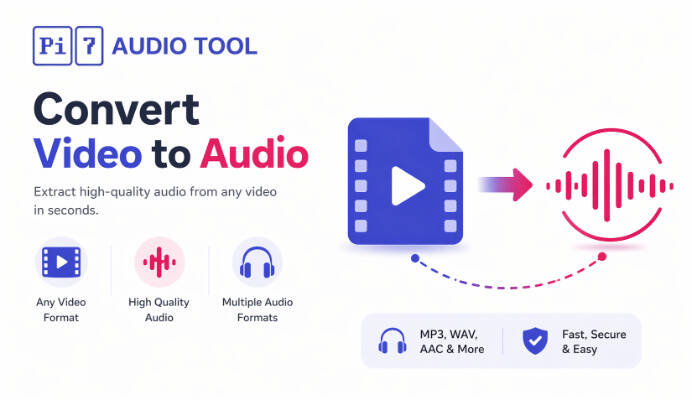
Supported Video Formats
The tool works with every common video container:
- MP4 (most YouTube downloads, phone recordings)
- MKV (high quality movie rips)
- MOV (iPhone and Mac recordings)
- WEBM (web downloads)
- AVI, FLV, 3GP, WMV, M4V, TS and more
Supported Audio Output Formats
- MP3 - small file size, plays everywhere
- WAV - lossless, full studio quality
- M4A - high quality, iPhone and Apple friendly
- AAC - efficient, modern lossy format
- OGG - open format, great quality at small sizes
- FLAC - lossless compression, ideal for archiving
- OPUS - modern codec, great for voice and podcasts
Why Choose Pi7 Audio Extractor
- 100% Browser-Based: Your video is processed locally using FFmpeg compiled to WebAssembly. Nothing is uploaded.
- Private and Secure: Your files never leave your device. Safe for confidential recordings, interviews, and personal clips.
- High-Quality Output: The audio track is extracted with its original clarity. No loss from re-encoding unless you choose a compressed format.
- No Signup, No Limits: Extract as many files as you like, any time. No registration, no watermarks, no hidden caps.
- Works on Any Device: Desktop, laptop, tablet, and mobile browsers on Windows, macOS, Linux, iOS and Android.
Common Use Cases
- Save a lecture or webinar recording as a podcast-ready MP3
- Pull audio from an interview video for transcription
- Grab music from a recorded performance or event clip
- Extract voice notes from a phone video
- Convert reels, shorts, and social clips into audio files
- Archive audio from meeting recordings in a smaller format
Is It Safe to Extract Audio from Video Here?
Yes. The entire process runs inside your browser using WebAssembly. Your video stays on your own device from start to finish. There is no server upload and no storage, which makes Pi7 Audio Tool one of the safest ways to extract audio online.
Is There a File Size Limit?
Because everything runs in your browser, the only limit is your device memory. Most phones handle files up to a few hundred megabytes comfortably. Desktop browsers can usually handle multi-gigabyte videos.
Start Extracting Audio from Video Now
Upload your video, choose the audio format you want, and download clean audio in seconds. After extracting, you can trim the audio with the audio cutter, change the format using the audio converter, or, if you only need a quick MP3, the dedicated video to MP3 tool skips the format dropdown. Fast, free, and fully private - only in Pi7 Audio Tool.