Audio Speed Changer Online - Slow Down or Speed Up
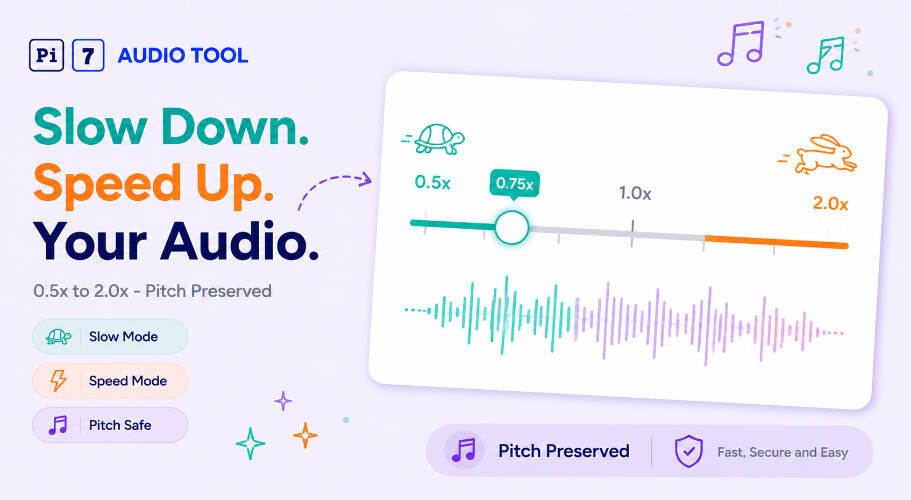
Slow down or speed up audio from 0.5x to 2.0x. Pitch stays the same.
Pi7 Audio Speed Changer lets you slow down or speed up any audio file in your browser. Upload an MP3, WAV, M4A, or nine other formats. Set a speed from 0.5x to 2.0x. The pitch stays the same. Download the result in under a minute, free, with no account needed.
What Does an Audio Speed Changer Do?
An audio speed changer adjusts how fast or slow audio plays back. Pi7 changes the tempo without touching the pitch. So a voice recording slowed to 0.6x still sounds like the original speaker - just easier to follow. A podcast sped to 1.5x still sounds natural, not squeaky.
This is different from simply stretching or compressing the audio file. Pi7 uses WebAssembly in your browser to apply time-stretching. The result is clean audio at any speed between 0.5x and 2.0x.
You can also upload video files - MP4, MKV, WebM, MOV, and AVI. Pi7 extracts the audio track and applies the speed change. Download the result as an audio file.
Speed Settings Explained
Use this table to pick the right speed for your task. Each setting changes how long the audio runs and what it feels like to listen.
| Speed | Effect | Duration Impact | Best Use Case |
|---|---|---|---|
| 0.5x | Half speed | Twice as long | Transcription, complex dialogue, music slow-down |
| 0.75x | Three-quarter speed | 33% longer | Language learning, catching fast speech |
| 1.0x | Original speed | No change | Default playback |
| 1.25x | 25% faster | 20% shorter | Podcast listening, light review |
| 1.5x | 50% faster | 33% shorter | Long lectures, audiobooks on a deadline |
| 2.0x | Double speed | Half as long | Quick review, skimming recorded meetings |
How to Slow Down Audio - and When It Helps
Slowing audio down is the most requested use of a speed changer. Set the slider to 0.5x or 0.75x and the audio plays back slower while the pitch stays natural. We slowed a guitar tutorial down to 0.6x to learn a tricky chord change - every note came through clearly at that speed.
Here are the situations where slow audio makes a real difference:
- Language learning: Slow foreign-language audio to 0.7x to catch every syllable. The speaker still sounds like a real person, not a robot.
- Music practice: Slow down a fast instrumental passage to 0.5x. Learn the notes one by one before bringing it back to full speed.
- Transcription: Set a recorded interview to 0.75x and type along. You pause less and miss fewer words.
- Complicated dialogue: Some films and recorded lectures pack a lot into fast speech. Slow audio to 0.8x and you catch the detail.
- Instruction analysis: When following a recorded technical walkthrough, 0.75x gives you time to act on each step.
- Hearing impairment support: Slower audio at natural pitch is easier to follow than audio played at full speed.
To trim the specific section you want to slow down first, use the audio cutter to clip the segment before uploading here.
How to Speed Up Audio Without Losing Quality
Pi7 lets you set audio faster from 1.1x up to 2.0x. The pitch stays level at every setting. A podcast at 1.5x sounds like the host is talking a little quickly - not like they inhaled helium.
Speed up audio in these situations:
- Long podcasts: A 90-minute episode becomes 60 minutes at 1.5x. You get the same content in less time.
- Recorded lectures: Set a slow-paced lecture to 1.25x and stay focused without missing anything.
- Audiobooks: Most readers slow down for emphasis. 1.25x or 1.5x keeps the story moving at a comfortable pace.
- Recorded meetings: Review a 60-minute recorded meeting in 30 minutes at 2.0x by skipping to the decisions.
- Voice memos: Speed up your own voice memos to review notes faster before a meeting.
If you want to change pitch as well as tempo, try the audio speed and pitch changer instead. It lets you adjust both independently.
What Audio and Video Formats Does Pi7 Accept?
Pi7 Audio Speed Changer accepts a wide range of audio and video file formats. No conversion needed before you upload.
Audio formats: MP3, WAV, M4A, AAC, OGG, FLAC, OPUS, AIFF, CAF
Video formats: MP4, MKV, WebM, MOV, AVI - Pi7 pulls the audio track out and applies the speed change. Download the result as audio.
The output downloads in the same format as your input. No quality loss from re-encoding to a different container.
Why Pitch Is Preserved When You Change Audio Speed
Most media players change pitch when you change speed. Speed up a track in a basic player and voices get high. Slow it down and they go deep. Pi7 uses a time-stretching algorithm to separate pitch from tempo. The result is audio that changes speed while keeping pitch at the original level.
We tested this on a voice recording slowed to 0.5x. The speaker sounded like themselves - just twice as slow. No distortion, no unnatural tone. If you want to change pitch instead of speed, the song key changer tool handles that separately.
Your Audio Stays Private - No Server Uploads
Pi7 processes your audio in your browser using WebAssembly. Your file never leaves your device. No upload to a server. No account needed. No watermark added to your download.
Close the browser tab and the file is gone. Pi7 does not store, log, or access your audio. This applies to every file type - MP3, WAV, video, and all others.
After you download the speed-changed file, you can shrink the file size with the audio compressor if you need a smaller version for sharing.
Frequently Asked Questions
Does slowing down audio change the pitch?
No. Pi7 uses time-stretching to change the tempo without changing the pitch. A voice slowed to 0.5x still sounds like the same speaker at the same pitch - just at half speed. This is different from basic playback slowing in standard media players, which does affect pitch.
Can I slow down or speed up a video file?
Yes. Upload an MP4, MKV, WebM, MOV, or AVI file. Pi7 extracts the audio track, applies your speed setting, and lets you download the result as an audio file. The visual video track is not included in the output.
What is the slowest and fastest speed I can set?
The slider runs from 0.5x (half speed, twice the duration) to 2.0x (double speed, half the duration). The default is 1.0x, which plays at the original speed.