Audio Recorder with Background Music - Free Online
Record your voice with a music bed underneath. 5 free tracks built in, MP3 or WAV export, browser-only.
Music is mixed into your recording either way. Use Play above to preview before you start.
Built-in tracks: Music by Kevin MacLeod, licensed under CC BY 4.0.
Advanced Options
Pi7 Audio Recorder with Background Music records your voice and mixes it with a music bed in real time, all inside your browser. Pick from 5 royalty-free tracks (Lo-Fi, Ambient, Soft Piano, Acoustic Folk, Cinematic) or upload your own, set the voice and music levels, and download the mixed result as MP3 (192, 256, or 320 kbps) or WAV. No upload, no signup, no watermark.
The default 100% voice / 30% music balance is podcast-ready out of the box. Voice and music are mixed digitally using the Web Audio API, so the final file is one clean track with zero acoustic bleed - even if you record on a laptop with built-in speakers.
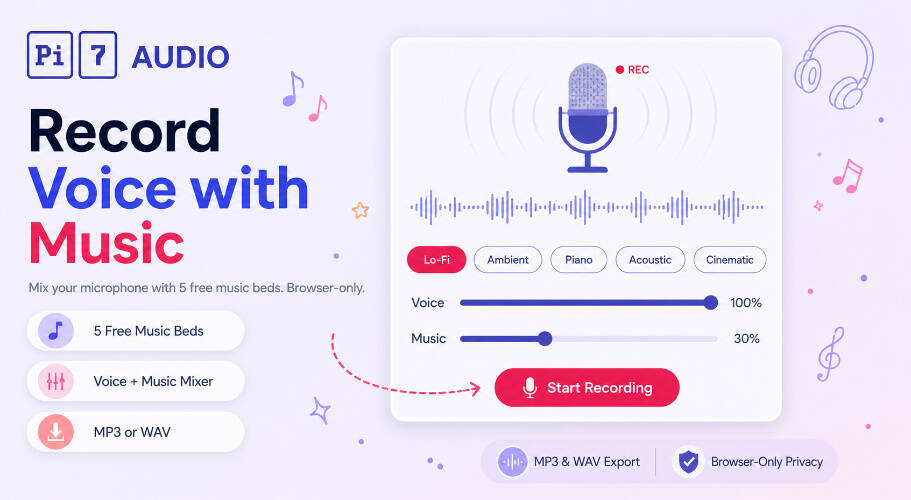
How to Record Audio with Background Music in 3 Steps
- Allow microphone access, then pick one of the 5 music chips (Lo-Fi, Ambient, Piano, Acoustic, Cinematic) or click Upload Audio to bring your own MP3, WAV, M4A, OGG, or FLAC track
- Press Play on the preview to hear the music, then drag the Voice and Music volume sliders until the balance feels right (default 100% / 30% works for most podcast and voice-over takes)
- Hit Start Recording, speak over the music (use Pause and Resume freely), and click Stop to download the mixed result as MP3 or WAV
If your source clip is longer than your recording, the music auto-loops; if it is shorter, you can stretch a short clip first using the audio looper to extend any audio to a target length with crossfades.
Five Music Beds Built In
Five carefully curated royalty-free tracks ship with the recorder. Each one targets a different mood and use case so you do not need to source your own music for the most common scenarios:
- Lo-Fi (Easy Lemon): mellow chill bed, perfect for podcast intros and casual voice notes
- Ambient (Atlantean Twilight): melodic atmospheric pad with body, great for meditation, sleep stories, and ASMR
- Soft Piano (Gymnopedie No 1): Erik Satie's calm piano, ideal for poetry readings and reflective voice-over
- Acoustic Folk (Wholesome): warm folk acoustic, fits storytelling, audiobooks, and family videos
- Cinematic (Inspired): uplifting orchestral feel, great for inspirational intros and motivational content
You can also upload any audio file as a custom music bed. If you only need a portion of a longer track, trim it first with the audio cutter before bringing it in.
When to Use an Audio Recorder with Background Music
- Podcast episodes: record an intro or outro over a music bed in one take
- Meditation and sleep tracks: guide listeners over an ambient pad
- Voice-over with score: capture narration with cinematic music underneath
- Affirmations and hypnosis: calm piano under affirmation tracks
- Audio messages for social: add a vibe to voice notes for Instagram, WhatsApp, or TikTok
- Storytelling and audiobooks: warm acoustic bed for narrative reads
- Poetry readings: Gymnopedie underscore for spoken word
- Sales and marketing scripts: polished demos with a soft music bed
Voice and Music Balance Presets
After testing dozens of takes across podcast, meditation, and voice-over use cases, these four presets cover almost every situation:
- Voice 100% / Music 30%: the default — voice clearly on top, music as a supporting bed. Use for most podcasts and voice-over.
- Voice 100% / Music 15-20%: very subtle bed. Use for long-form narration and audiobooks where the music must not pull attention.
- Voice 100% / Music 50%+: music more present. Use for intros, transitions, and outros where the music IS the moment.
- Voice 70% / Music 60%: performance / spoken-word mix. Use for poetry, monologue, and live-style takes where voice and music share the spotlight.
Both sliders update the live preview AND the recorded mix in real time, so you hear exactly what the final file will sound like before you commit.
What Makes the Mix Clean
- No acoustic bleed: the music does not play through your speakers during recording. It is added digitally inside the browser via the Web Audio API, so your microphone only captures your voice. The final mix is one clean digital track, not voice + room-bounced music.
- Independent volume control: adjust voice and music levels separately, even live mid-take.
- Live preview: hear the music before you record so you know exactly what mood you are setting.
- Pause and resume: the music pauses when you pause, resumes when you resume, and the final file stitches into one seamless take.
- Studio-quality output: MP3 up to 320 kbps or lossless WAV - no quality cap because there is no premium tier.
Recorded On-Device, Stays On-Device
Your privacy is the most important thing to us. We do not upload your voice. We never have, and we never will. Your microphone is the most personal input there is, and we built this tool to honor that.
The browser captures samples through the MediaRecorder API, the Web Audio API mixes them with the music track in real time, and the resulting blob is written directly into a download link - all without sending a single packet to us. We do not have, and cannot get, a copy of your recording.
Practically, that means no account, no email field, no microphone-permission-then-upload trick that some sites pull. Click the big record button, allow your browser's mic prompt, talk, hit Stop, download. Refresh the page and the recording is gone forever - it never existed anywhere except the JavaScript memory of this tab.
And because there is no shared backend, you can record a 60-minute episode without hitting a per-user rate limit, your output never gets a Pi7 watermark, and the entire tool works offline once it is loaded - useful when you are recording somewhere with shaky Wi-Fi like a hotel room or a cafe. Need a music-free workflow? The regular online voice recorder uses the same engine without the music section.
Frequently Asked Questions
Is the background music free to use commercially?
The five built-in tracks are licensed under Creative Commons BY 4.0 (Music by Kevin MacLeod). You can use the recorded output commercially, including on monetized podcasts and videos, as long as you credit the composer when required. Tracks you upload yourself follow whatever license that source has.
Will the music loop if my recording is long?
Yes. Background music loops automatically while you record, so it never cuts out mid-take. We have tested recordings up to 60 minutes with no issues.
Start Recording Voice with Music Now
Allow your microphone, pick a music chip, hit Start, and download a polished mixed track in seconds. Fast, free, and fully private - only in Pi7 Audio Tool.